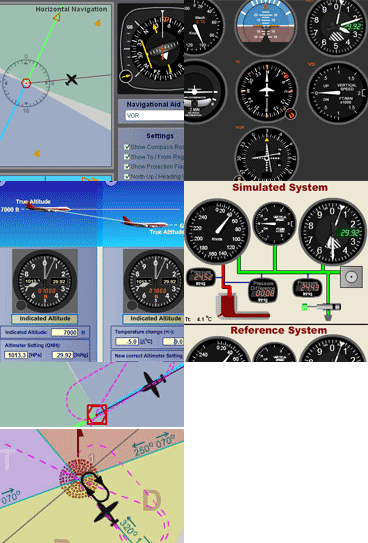
The Altimeter Simulator features one altimeter (right) that the user can set to a pressure altitude, eneterd in a field, and an altimeter (left) that displays the corresponding indicated altitude when the user enters the altimeter setting on another field. Units can be set to meters or feet, and inHg
Altimeter
Simulator
Condensed Instructions:
Enter the pressure altitude and altimeter setting. The altimeter on the left will receive the altimeter setting and will show indicated altitude once the setting has been entered. The altimeter on the right is set at exactly 1013.25 hPa and therefore will always show pressure altitude.
The display on the right altimeter shows a rounded value: 1013.3 hPa and 29.92 InHg even though it is set exactly at 1013.25 hPa (standard pressure at sea level). The Altimeter on the left starts with a setting of exactly 1013.3 hPa and therefore shows a one foot positive value due to the rounding error. The left altimeter will always be set to the exact value selected by the user on the altimeter setting input window.
Note:
This site has been optimized for PC and laptop use. Due to lack of physical keyboard and mouse pointer; or because of the smaller screens, may not be usable on tablets and smart phones. Hasn't been tested on iPads with keyboard and mouse pad. Uses Ruffle Flash emulator.
IF YOU RECEIVE AN ERROR MESSAGE FROM YOUR BROWSER, REFRESHING THE PAGE USUALLY RESOLVES IT.
Navigation Simulator
Check out our online version that runs directly on this website, and can be viewed on a Windows PC, Mac, or Linux OS. Practice in this simulator specifically designed for learning the basics of instrument navigation.
There is also the traditional Navigation Simulator that runs on PC Windows as a standalone app. Try the Navigation Simulatorfor for PC. Now completely free — forever!.
A Multitude of Other
Online Simulators
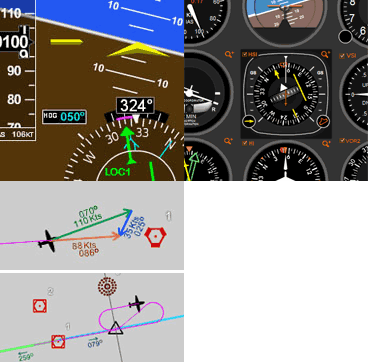
No installation required. These simulators are ready to run on your web browser and have a rich set of features. Practice basic VOR, ADF, RMI and HSI intrument orientation and execute holding patterns. Other simulators include pitot static system and altimeter errors. Click here to go to main online simulator page.
By Luiz Roberto Monteiro de Oliveira. Screenshots and video captures allowed (personal, business or military)
as long as credited to author and link to this site or URL included. Permission required for all other uses.































 Norton™ Safe Web