A Complete Directory of Interactive Simulators for Flight Navigation and Instrument Training
Welcome to the central directory for all our interactive aviation simulators. This page provides a complete guide to our powerful training tools, designed for student pilots, flight instructors, and enthusiasts. Whether you want to master complex navigation or understand core instrument physics, you'll find the right tool here.
Our simulators are grouped by function:
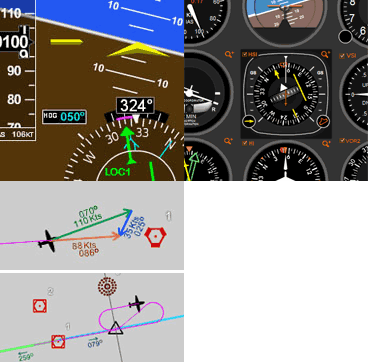
Navigation Simulators: Explore our flagship Navigation Simulator, which supports multiple NAVAIDs, full glass cockpit and analog ("six-pack") instrument panels, and a comprehensive flight environment.
Instrument-Specific Trainers (VOR, HSI, RMI, ADF): Practice with a specific instrument. These are available in three versions:
Version 1: The instrument alone, positioned by mouse (ideal for small screens or basic concepts).
Version 2: Adds a heading indicator and keyboard-flyable controls.
Version 3: Features the full six-pack instrument panel alongside the primary nav instrument.
Compact Instrument Simulator: A dedicated, keyboard-flyable simulator with multiple NAVAIDs, specifically designed for small screens.
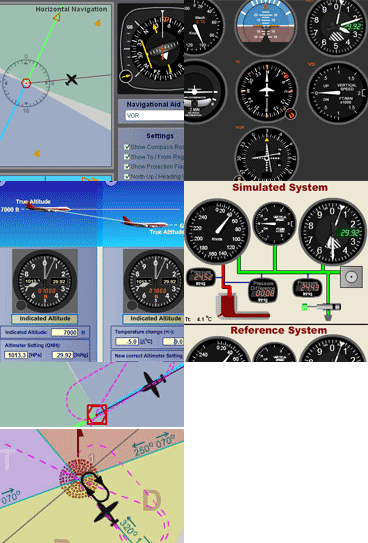
Systems Simulators: Go beyond navigation with our Pitot-Static System Simulator, which features a live schematic, pressure gauges, and the ability to simulate pitot or static blockages to see their direct effect on your instruments. Our Altimeter Simulators provide a focused look at pressure settings and visually demonstrate the "high to low, hot to cold, look out below" adage.
Use the list below, along with our feature comparison table, to choose the simulator that best fits your training goals.
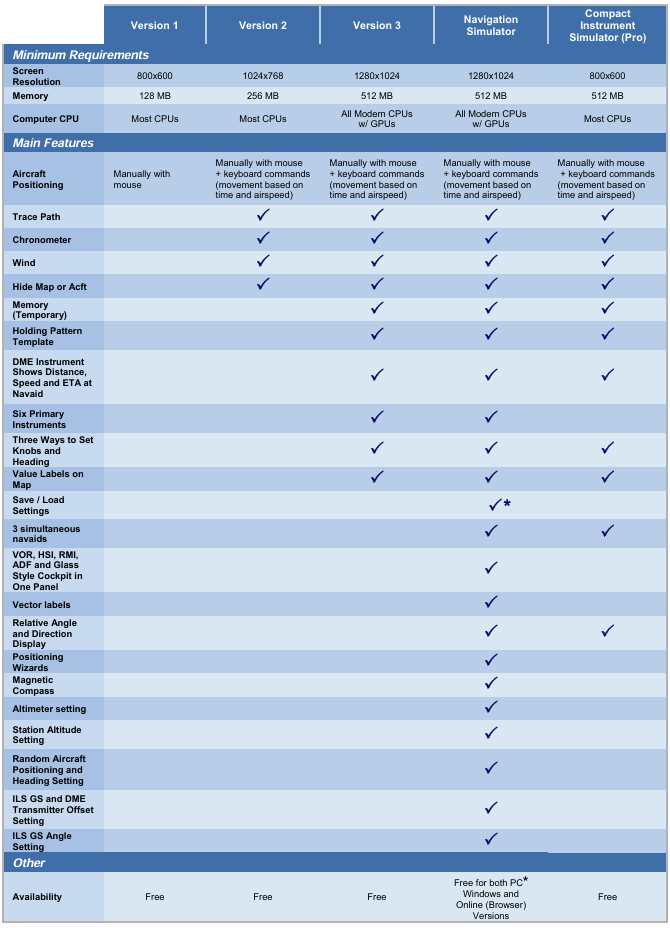
VOR, HSI, RMI, and ADF Simulator Comparison
& Features and Suggested Requirements Table
Below is a summary of features and suggested requirements for these applications.
Navigation Simulator
Check out our online version that runs directly on this website, and can be viewed on a Windows PC, Mac, or Linux OS. Practice in this simulator specifically designed for learning the basics of instrument navigation.
There is also the traditional Navigation Simulator that runs on PC Windows as a standalone app. Try the Navigation Simulatorfor for PC. Now completely free — forever!.
A Multitude of Other
Online Simulators
No installation required. These simulators are ready to run on your web browser and have a rich set of features. Practice basic VOR, ADF, RMI and HSI intrument orientation and execute holding patterns. Other simulators include pitot static system and altimeter errors. Click here to go to main online simulator page.
By Luiz Roberto Monteiro de Oliveira
Screenshots and video captures allowed (personal, business or military) as long as credited to author and link to this site or URL included. Permission required for all other uses.































 Norton™ Safe Web


 Altimeter Simulator