luizmonteiro.com
HELP - Altimetry: Pressure Altitude
| Problem A: (Estimated time of completion 15 seconds*) | ||
| Given: Calibrated Altitude = 3000 ft; and Altimeter Setting = 28.72 InHg Find: Pressure Altitude in feet and in meters. | ||
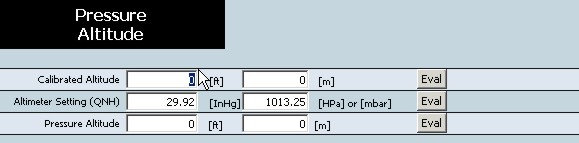
| 1. Place cursor in front of the number in the row for Calibrated altitude and in the feet box since our given value is in feet. Highlight the number in that box. | |
 | |
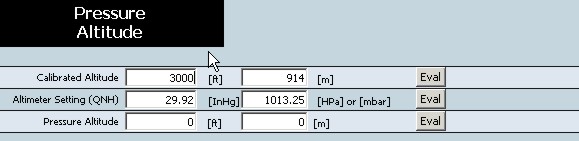
| 2. Type in the desired value (in this case 3000). Notice that the box with meters in the Calibrated Altitude row has changed and has the converted value of 3000 feet in meters. | |
 | |
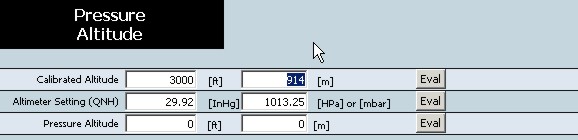
| Note: You could also type the value in meters. Let's highlight the meters box for the Calibrated Altitude. | |
 | |
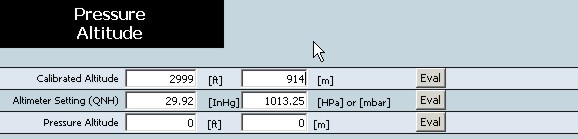
| Type in 914 which is the value converted in meters over the previous value of 914. Notice that the Calibrated Altitude in feet is now 2999 and not 3000. That is because 914 was a rounded value for 3000 feet. The calculator will always assume the value being entered is the exact one and every thing else is calculated based on that. | |
 | |
| 3. Just so we don't have to enter 3000 again let just suppose that 2999 is close enough so we will leave it at that for our example. Now highlight the Altimeter Setting row's InHg box so that we can enter the altimeter setting. Note that we could have just same used the HPa box if our Altimeter Setting was in HPa. | |
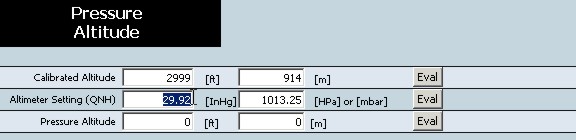 | |
| 4. Type in 28.72 while the box is highlighted. | |
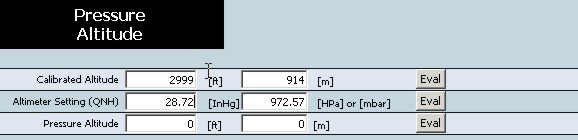 | |
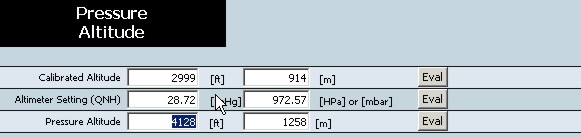
| 5. Now we have entered a value for Calibrated Altitude and the Altimeter Setting. We now can find out the value of the remaining row (Pressure Altitude) by moving the cursor to the Eval button on that row and pressing it . | |
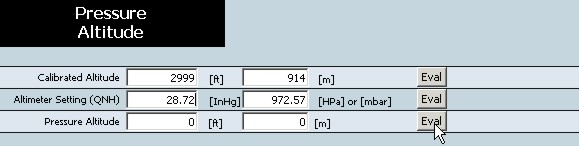 | |
| 6. Once pressed the results for that row (in this case Pressure Altitude) will be displayed in all the units of that row. You can now read the answer which is: 4128 ft or 1258 m. | |
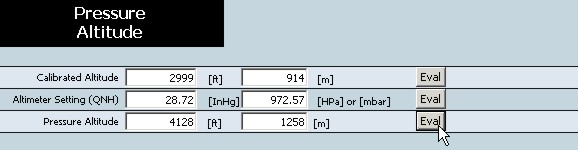 | |
| Problem B: (Estimated time of completion 15 seconds*) | ||
| Given: Calibrated Altitude = 2999 ft; and Pressure Altitude = 500 ft Find: The required Altimeter Setting for those conditions to be met. | ||
1. In the previous problem we already had 2999 for the Calibrated | |
 | |
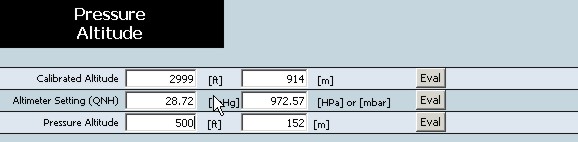
| 2. Enter the Pressure Altitude value in feet while the box is highlighted. | |
 | |
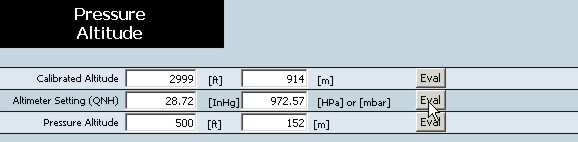
| 3. Now that we have the Calibrated Altitude and the Pressure Altitude entered we can now calculate the remaining row (Altimeter Setting) by pressing the Eval button on the Altimeter Setting row. | |
 | |
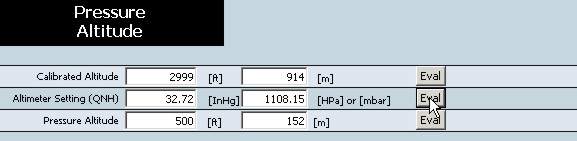
| 4. Once Eval has been pressed, the Altimeter Setting is calculated and displayed in both InHg and Hpa or mbar. Read the results and find that the Altimeter Setting is 32.72 InHg or 1108.15 HPa. | |
 | |
| Problem C: (Estimated time of completion 15 seconds*) | ||
| Given: Altimeter Setting = 30.25 InHg; and Pressure Altitude = 500 ft Find: The required Altimeter Setting for those conditions to be met. | ||
1. In the previous problem we already had 500 ft for the Pressure | |
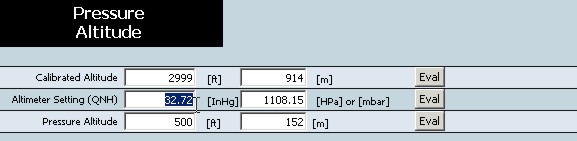 | |
| 2. Enter the Altimeter Setting value in InHg while the box is highlighted. | |
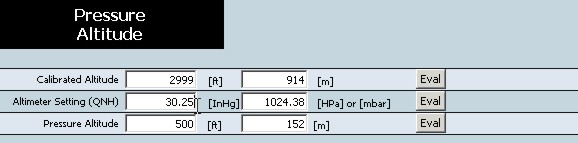 | |
| 3. Now that we have the Altimeter Setting and the Pressure Altitude entered we can now calculate the remaining row (Calibrated Altitude) by pressing the Eval button on the Calibrated Altitude row. | |
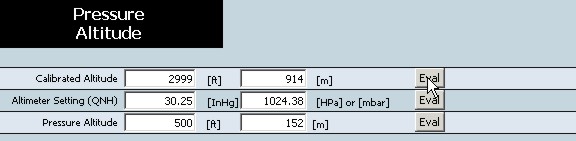 | |
| 4. Once Eval has been pressed, the Calibrated Altitude is calculated and displayed in both feet and meters. Read the results and find that the Calibrated Altitude is 803 ft or 243 m. | |
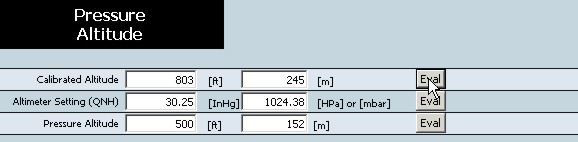 | |
Note that it does not matter the order that you enter the rows. The remaining row (field) will
be calculated based on the values of the other two rows when the Eval button of that row is pressed.
* Time estimates are based on a person that already knows how to use the web site.
Copyright 2006 - All Rights Reserved
Last updated on April 8, 2006